
Live TV
Free-to-air news, sports, movies and kids' channels for your region, with search, categories and channel flipping.
Live TV, radio from around the world, YouTube and games, built for the big touchscreen in your Tesla. Open it, go fullscreen, and enjoy the wait.
Try 10 minutes without signing up. Free accounts get 2 hours every week, no card needed.
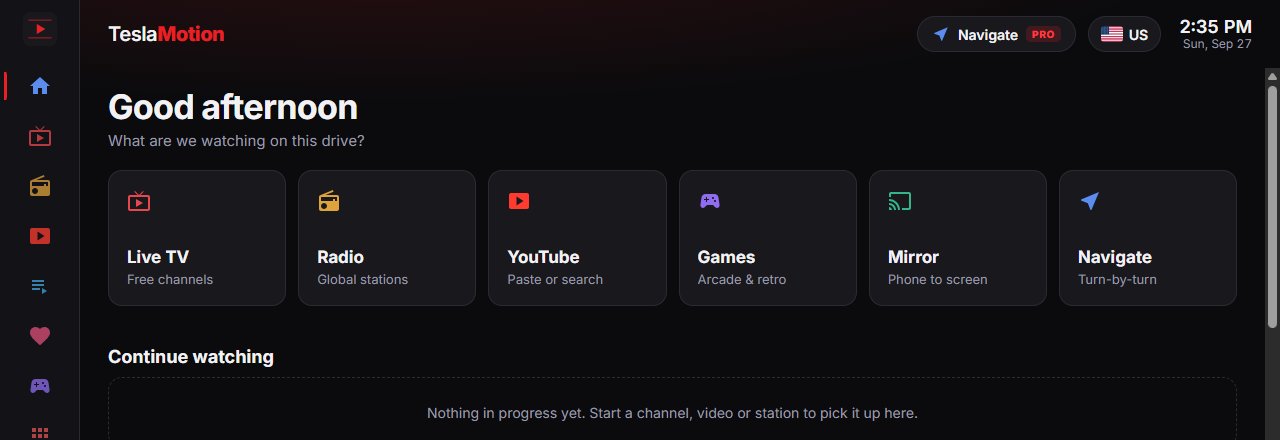
Big touch targets, a dark screen that's easy on the eyes, and everything a tap away.
Free-to-air news, sports, movies and kids' channels for your region, with search, categories and channel flipping.
Local and worldwide stations by genre: pop, jazz, talk, sports and more. It keeps playing while you browse.
Trending videos and search, or paste any link. Plays in a player sized for your car screen.
Quick arcade games plus a retro console for the game files you own. Plug in a USB or Bluetooth controller.
Scan a code with your phone to send videos or share your screen straight to the car.
Directions with turn-by-turn steps on a clean dark map, ready before you set off.
Add the M3U or Xtream playlists from the TV services you subscribe to, and watch them in the same player.
Sign in once and your favorites, history and playlists sync between the car, your phone and your laptop.
Fill the whole display, then zoom and pan the picture to crop black bars and fit the video the way you like.
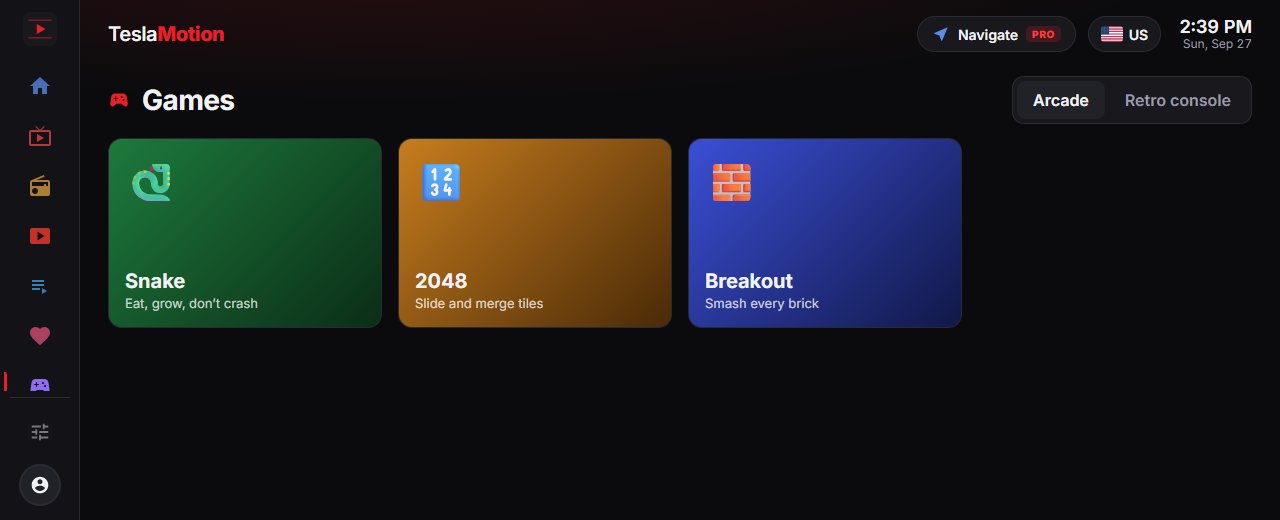
Keep the kids happy on a long charge, or catch up on the news while you wait. Everything opens instantly and works with touch.
With Premium, Mirror pairs your phone and your car with a QR code. Send a video to play in the car, or share your phone's screen. No cables, no apps.
Park, then tap the browser icon on your Tesla's touchscreen. Wi-Fi or Premium Connectivity required.
Open the address below and try it right away. Create a free account to keep watching, and bookmark it for next time.
app.teslamotion.netPick a channel, station or game and go fullscreen for the best view.
No contracts. Cancel anytime from your account.
A taste of everything, every week.
No card needed.
The complete in-car experience.
Billed monthly. Cancel anytime.
Yes. The free plan includes 2 hours a week of Live TV, radio, YouTube and games, plus your playlists and account sync. Only time spent actually playing counts, and it resets every week. Premium removes the limit and adds Navigate and Mirror.
Not to try it: you get a 10-minute preview without signing up. After that, a free account gives you 2 hours every week. It takes a few seconds with just an email and password, no card needed, and keeps your favorites, history and playlists in sync between the car and your other devices.
No. TeslaMotion is a website built for the car's touchscreen. Open it in the browser and bookmark it. It also works on phones, tablets and computers.
Any Tesla with the built-in web browser, connected through Wi-Fi or Premium Connectivity. Other cars with a modern browser usually work too.
No. Please watch video only while parked, and always follow local laws. Radio can keep playing while you drive.
Live TV lists free-to-air streams that broadcasters make publicly available, gathered from open community directories. Radio comes from the public Radio Browser directory. We don't host this content, and what's available can change by region and over time.
Yes. If your TV provider gives you an M3U link or Xtream login, add it under My list. Only use playlists you're authorized to use.
Open Account in the app and choose Manage subscription. You can cancel anytime and keep Premium until the end of the period you've paid for.
No. TeslaMotion is an independent service and isn't affiliated with, endorsed by, or sponsored by Tesla, Inc.
Open TeslaMotion in your car's browser and start watching in seconds.
Open TeslaMotion